
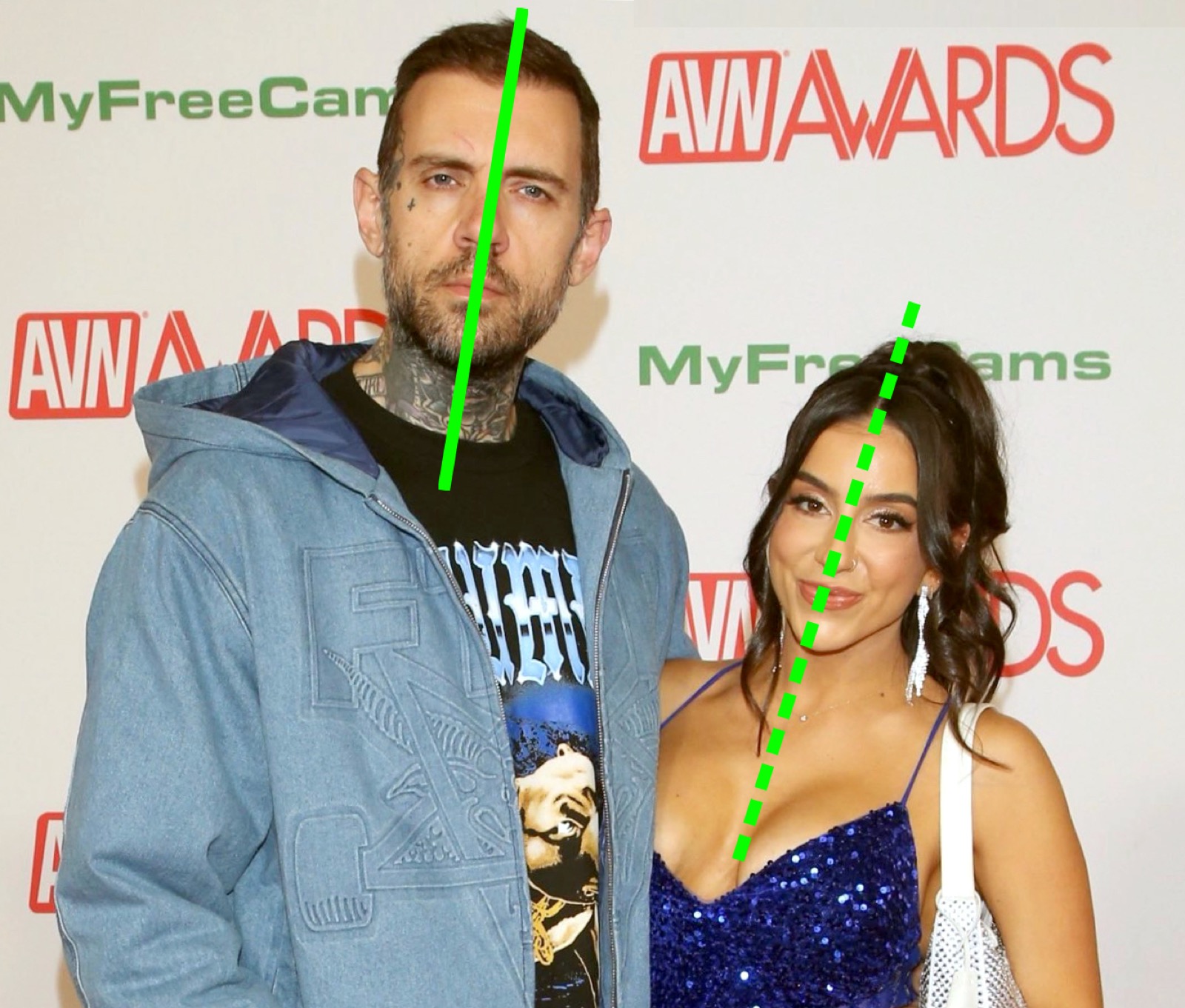
What this comparison covers
We operate greenlinetest.app. This is a comparison of our current workflow with manual drawing, not an independent ranking or a lab test of competing products. Product details were checked against our application on September 17, 2026. We do not claim the highest accuracy or complete coverage of every tool on the market.
Option 1: our AI Green Line Test
The online tool accepts a photo and asks an image model to overlay straight green lines, with solid and dashed styles and STRONG/WEAK labels. It focuses on the two most prominent people. Google sign-in and purchased credits are required for generation.
This is convenient if you want the line placement and labels handled in one workflow. You still need to review the result: the model can misplace an axis or unintentionally alter the underlying photo. There is no calibrated angle measurement or validated relationship score.
Current credit packs
| Pack | Price in USD | Analyses | Output branding |
|---|---|---|---|
| Starter | $4.99 | 3 | Includes branding |
| Popular | $9.99 | 20 | Unlocks watermark-free output |
| Pro Pack | $19.99 | 50 | Unlocks watermark-free output |
| Studio | $59.99 | 200 | Unlocks watermark-free output |
A successful generation uses one credit. These are one-time packs, not subscriptions. Review the live pricing section and checkout total before purchasing. Generation often takes around 30 seconds, but timing varies.
Option 2: draw the lines yourself
Use an editor you already have that offers a line or drawing tool. Keep a copy of the original, choose green, and draw along the visible head-and-torso axis for each person. Add labels only if you want them.
Manual drawing gives you control over where every line goes. It also makes your own judgment part of the result. Two people can annotate the same photo differently, particularly when the torso is cropped or the camera is tilted.
Follow our manual drawing instructions for a consistent approach. If your existing editor supports these features, you do not need to buy an AI analysis to reproduce the basic effect.
Compare the workflows
| Question | Our AI workflow | Manual drawing |
|---|---|---|
| Who places the lines? | A generative model | You |
| Do I need a Green Line Test account? | Yes, Google sign-in | No |
| Is a generation paid? | Yes, one credit | Depends on the editor you use |
| Can I adjust a line directly? | Review the generated image; no dedicated line-position control | Yes, using your editor |
| Can the original photo change? | Unintended generative changes are possible | Depends on the edits you make |
| Does it validate a relationship claim? | No | No |
How to choose
Choose manual editing when exact control over the drawing matters or you want to recreate the effect with tools you already have. Choose our AI workflow when you prefer automatic placement and labels and are comfortable paying for the generation.
If you consider another app, verify its current price, renewal terms, photo handling, supported output, and whether it really edits an image. A relationship quiz and a photo overlay are different products. This page does not assign untested competitors an accuracy score.
Judge the output, not just the presentation
A neat green line can look authoritative. Check that it follows the visible torso and that any labels are understood as a joke. The results guide explains the common patterns; the evidence guide explains why visual polish is not scientific validation.