
Choose a photo that shows the pose
Use a picture of two people standing side by side with their heads, shoulders, and hips visible. Use an image you own or have permission to edit. A full-body shot is useful, but a clear torso matters more than the background.
Avoid a heavily tilted camera, a close crop showing only faces, someone hidden behind the other person, or an action shot in mid-step. In a group photo, our tool focuses on the two most prominent people; it does not promise a separate line for everybody.
Method 1: draw the lines manually
- Open a copy of the photo in an editor with a straight-line or drawing tool.
- Select a bright green color and enough thickness to see it against the clothing.
- Find the approximate middle of the first person's head, chest, and hips.
- Draw one straight line along that visible axis. Do not trace the curve of the spine.
- Repeat for the second person, using the same visual rule.
- Compare both lines with vertical in the photo. If the camera itself is tilted, flag that limitation.
- Save a copy so you can compare the drawing with the original.
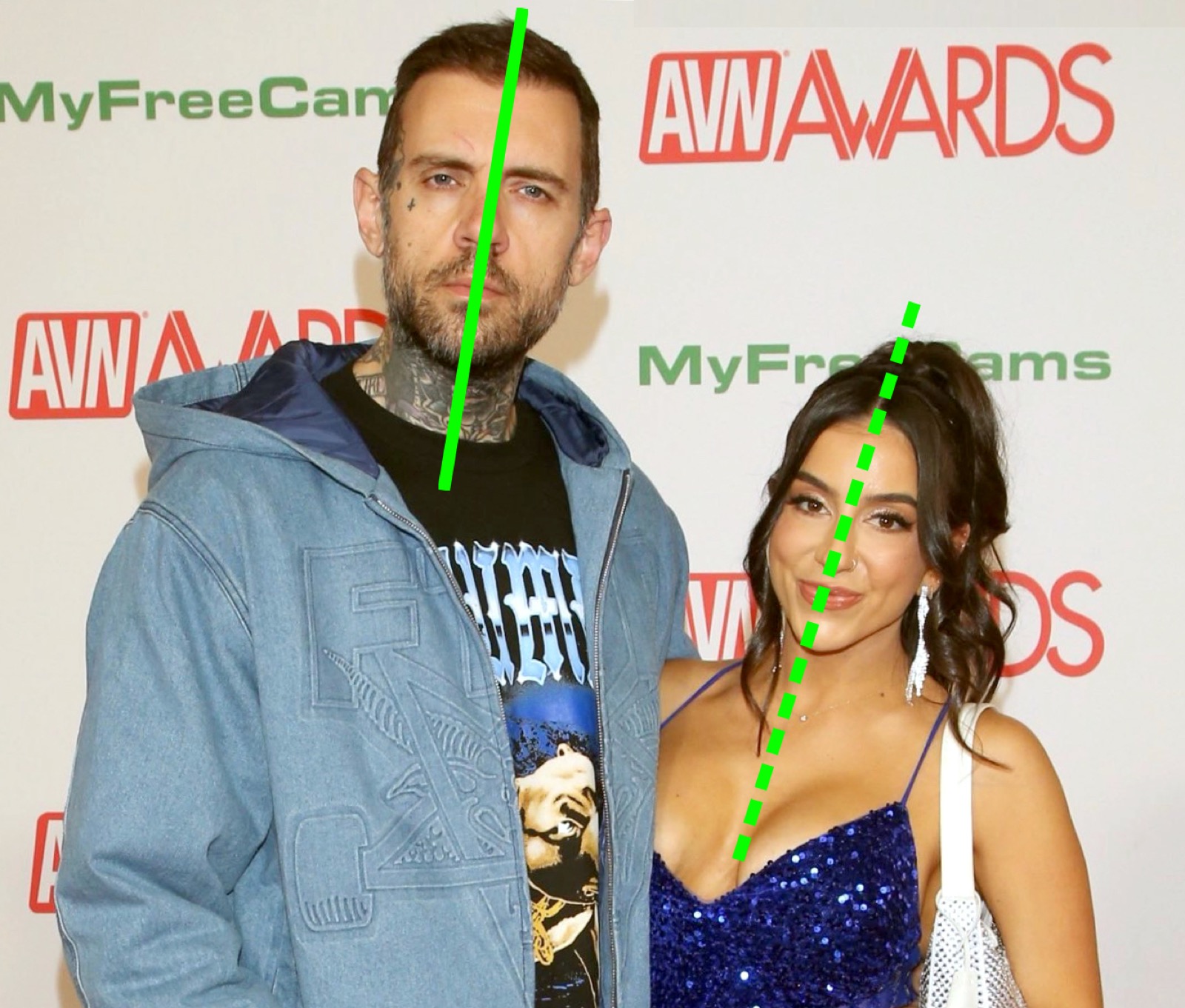
If you want to imitate our output, use a solid line for an upright pose and a dashed line for a clear lean. Labels are optional in a manual edit. Do not move a line just to produce a more dramatic result.
Method 2: use the AI tool
- Open Green Line Test online and choose a photo.
- Sign in with Google when prompted.
- Buy credits if your balance is empty. The Starter pack is $4.99 for 3 analyses; see all packs.
- Run the analysis. A successful generation uses one credit.
- Compare the original and edited image, then download or share the result.
Generation often takes around 30 seconds, but timing varies. Starter output includes branding; eligible larger packs unlock watermark-free output. The model is asked to preserve the photo and add an overlay, but generative image editing can introduce unintended changes. Inspect faces, clothing, and the background before sharing.
Check the overlay before interpreting it
Ask whether each line follows the visible torso, whether the camera is level, and whether enough of the person is visible to judge the pose. Turning only the head is not the same as leaning the entire torso. Seated poses and large height differences need extra caution.
The model does not return a calibrated angle or a validated psychological score. If the line is clearly misplaced, treat that output as an editing error, not evidence of a hidden meaning. Our method and limitations explain what the system actually does.
Understand the four common patterns
One upright and one leaning, both upright, both leaning inward, and outward-facing tilts are all possible. Our results guide includes diagrams and examples of alternative explanations.
Try comparing two existing photos of the same people taken in different poses. There is no rule that the pair must receive the same label each time. The difference is a useful reminder that this is a photo effect.
Common questions
Can I do it for free?
You can draw the lines yourself with a photo editor you already have. Our AI generation is paid; signing in does not provide free analysis credits.
Does it work on sitting photos?
It can generate an overlay, but a chair, bent torso, or table can make the drawing ambiguous. A standing photo is a clearer starting point. See the sitting-photo guide.
What if both people lean?
Keep both lines tilted. There is no need to force one person to look upright. Read what the labels mean and keep the interpretation playful.